
New Website Account Activation &
Membership Fee Payment Instructions
We are so excited to launch our new site and member experience! This was a major change we undertook over the last year and we understand it won’t be seamless and you might experience issues. If you encounter any issues or have questions during the process, please don’t hesitate to reach out to Amanda, our Membership Chair, at [email protected]. We’re here to help!
Activate Your Account
To complete the process, visit https://carderockclub.org/membership/manage-account/ or click the Login link in the top right of the homepage. We recommend completing the process on a computer.
- Your Username: Your email address from the old system or the email you used to join the waitlist
- Temporary Password: Carderock
If you don’t know your email from the old system, please reach out to [email protected] and include your name, any spouse/partner’s names and email and your address.
Steps to Pay Your Membership Fee
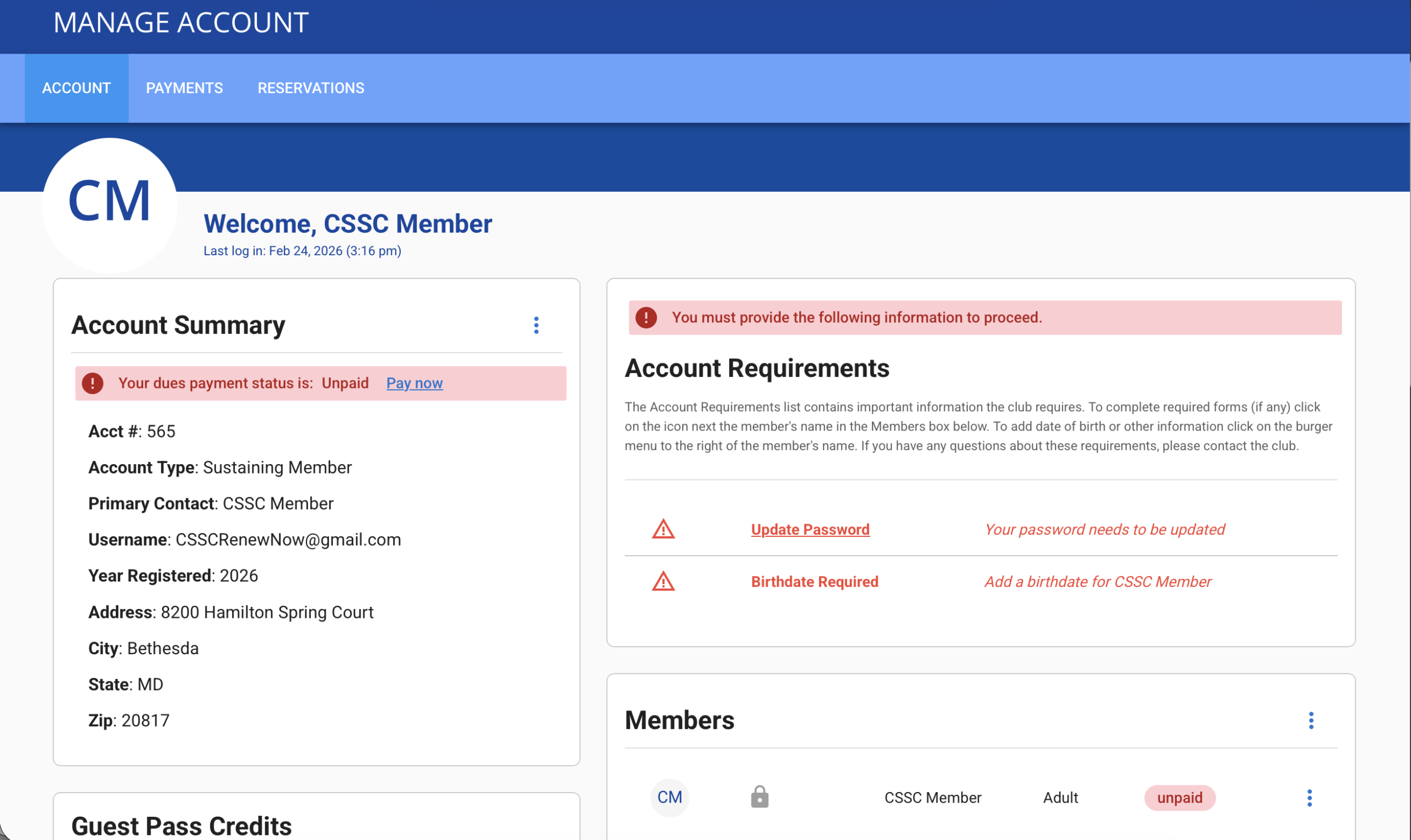
Once you are on the Welcome page you will see two required steps you are asked to do before completing your payment – Update your Password and Add Your Birthdate.
Step 1 – Update Your Password
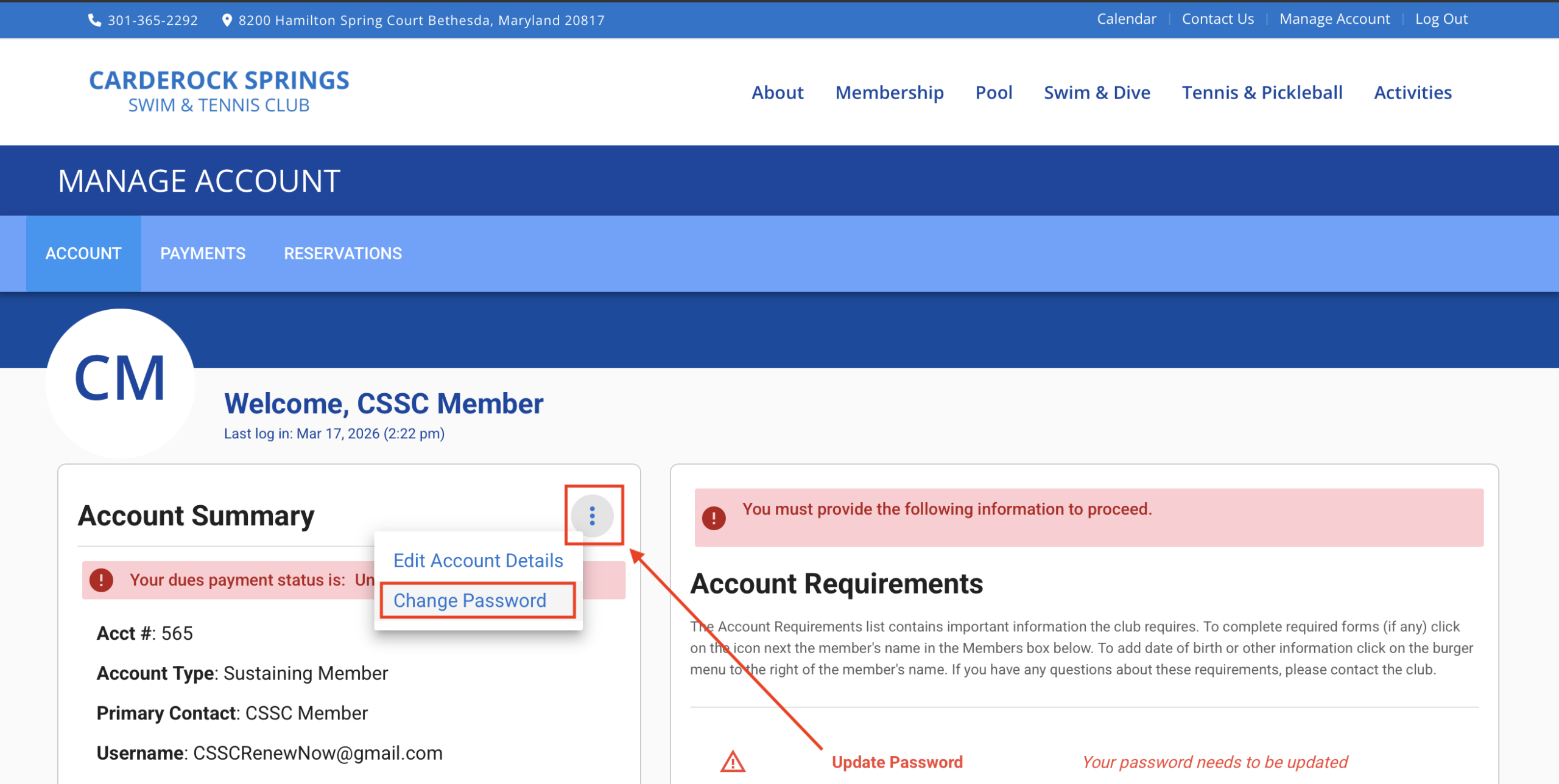
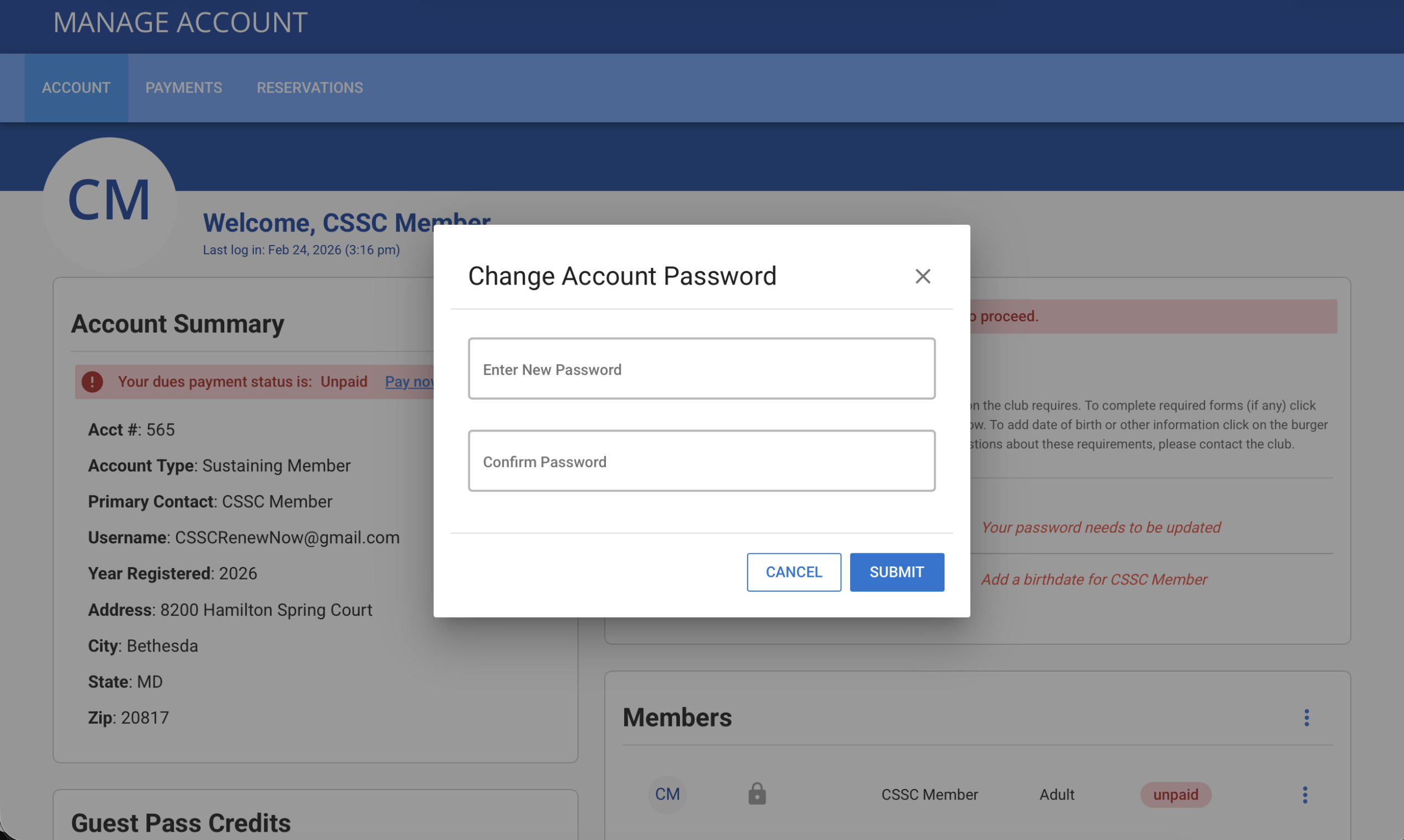
Update your password by clicking the 3 dots in the top right of the Account Summary section. Then select Change Password.
Step 2 – Add Your Birthdate
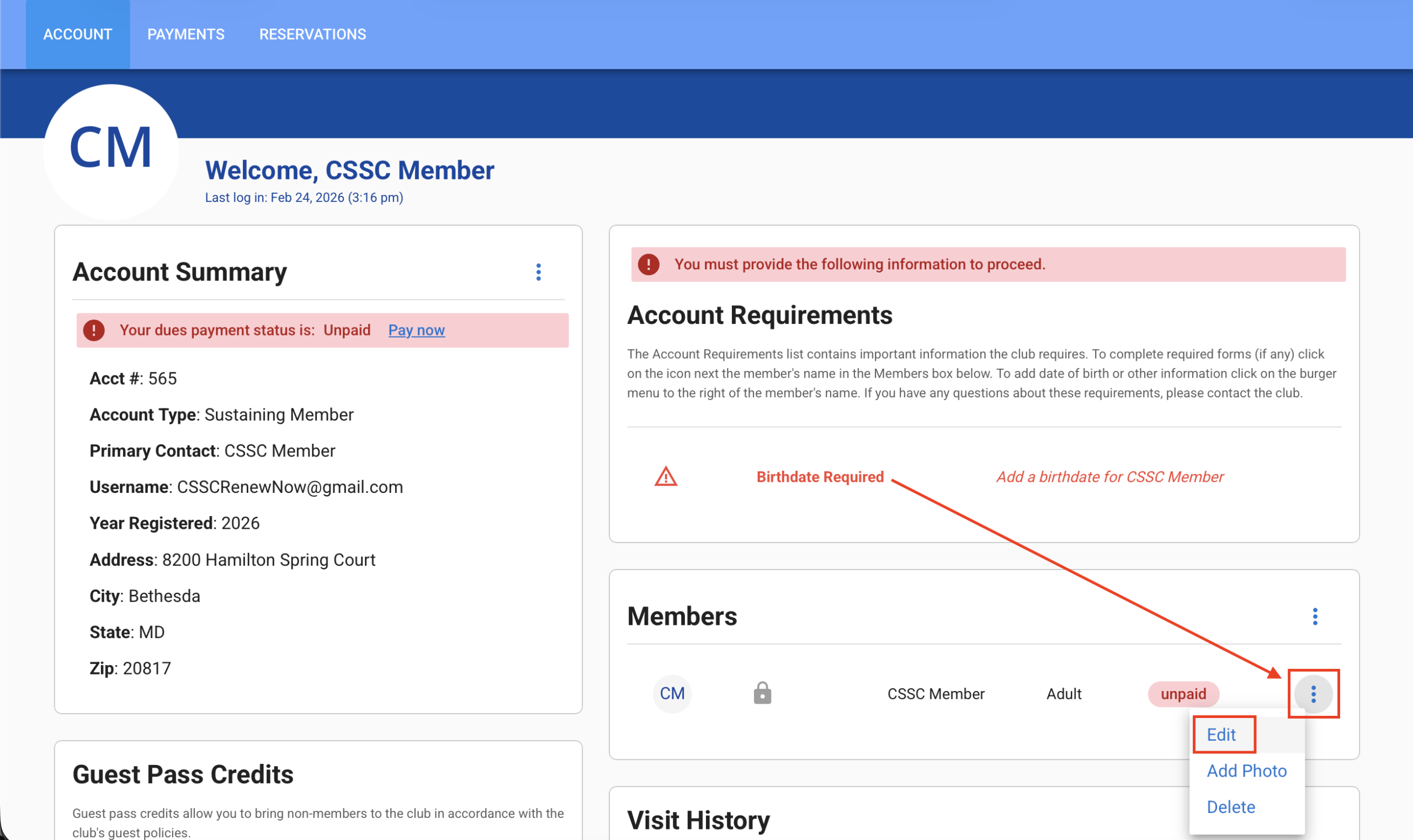
To add your Birthdate, you’ll need to update your profile.
Click the 3 vertical dots to the right of your name in the Member section.
Select Edit, confirm your profile details and add the required Birthdate field.
On a phone, scroll down to find the Member section.
Why do we need this? – All primary account members must be over 18.
Step 3 – Add Family Members
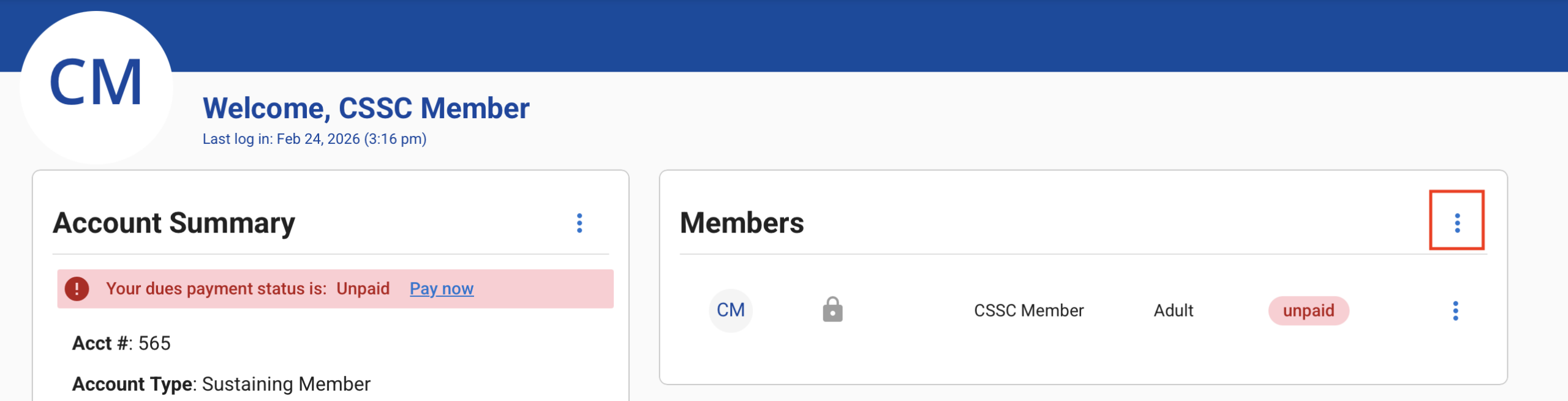
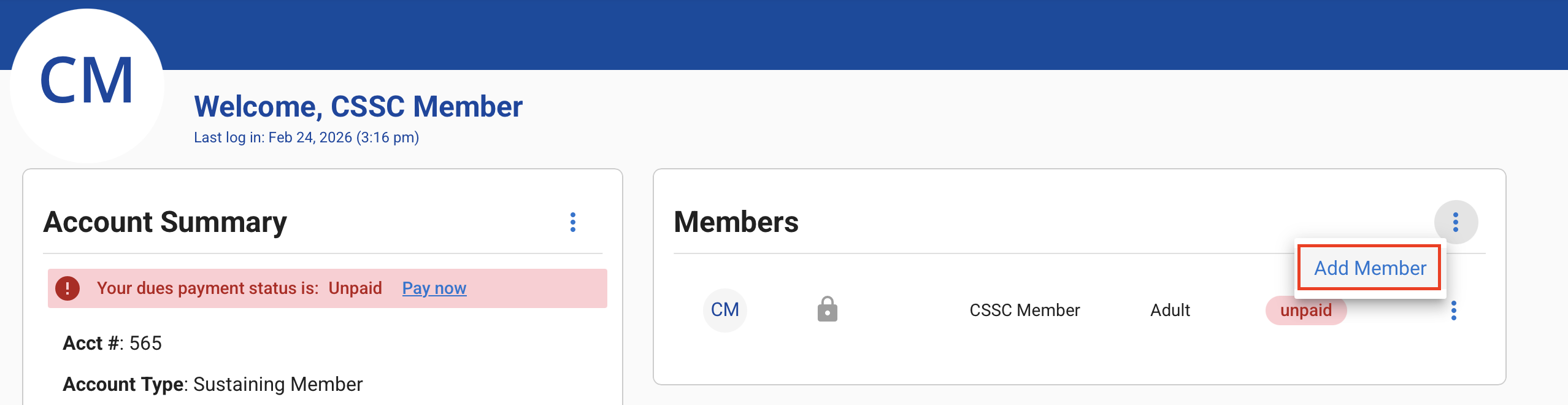
Add any additional family members and caregivers in your household by selecting the 3 vertical dots to the right of the Members heading.
On a phone, scroll down to find the Member Section.
Select Add Member
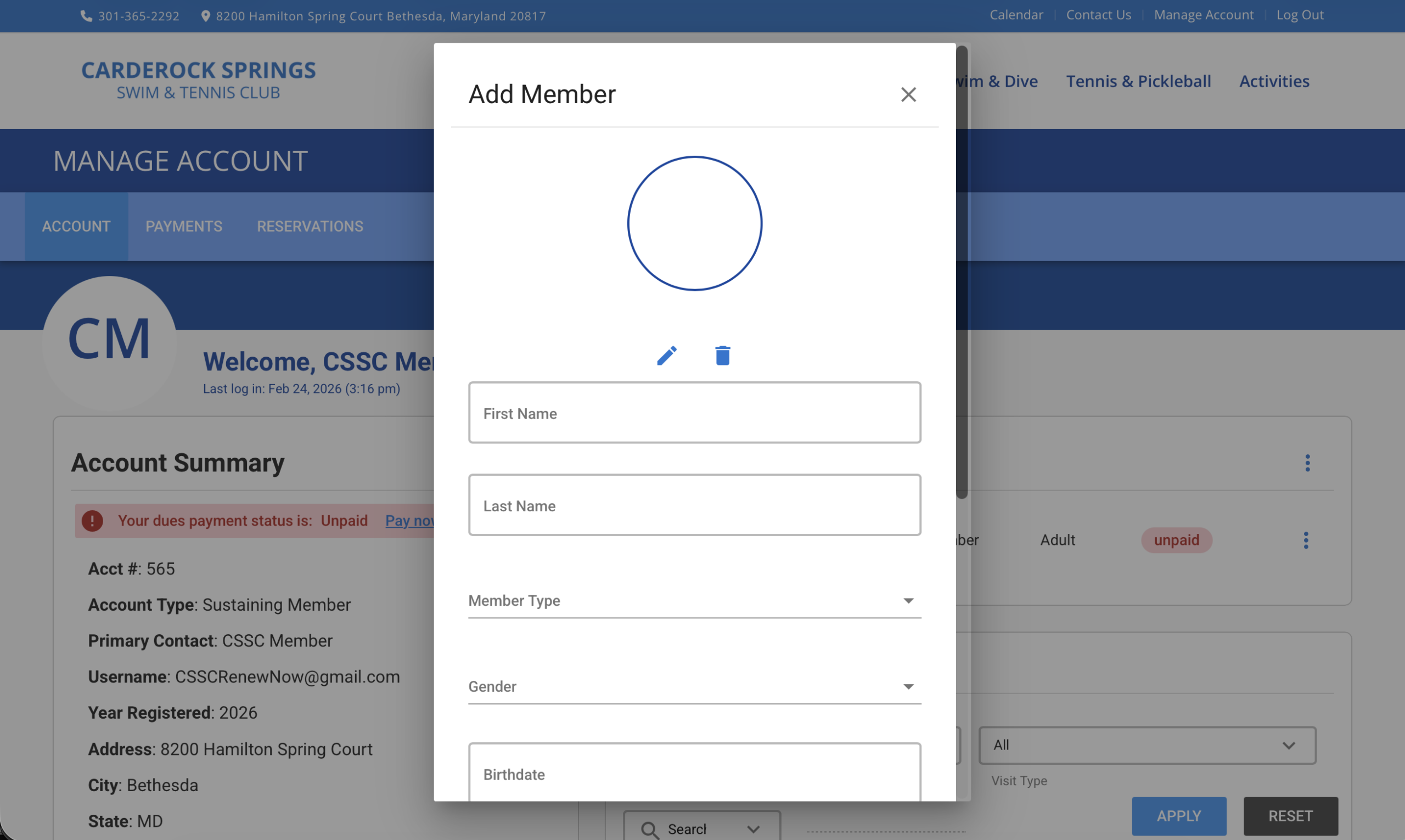
Add New Member Details
Step 4 – Pay Your Membership Fee
Once that is complete, you can start the payment process.
You’ll see a “Your dues payment status is: Unpaid” message in red under Account Summary.
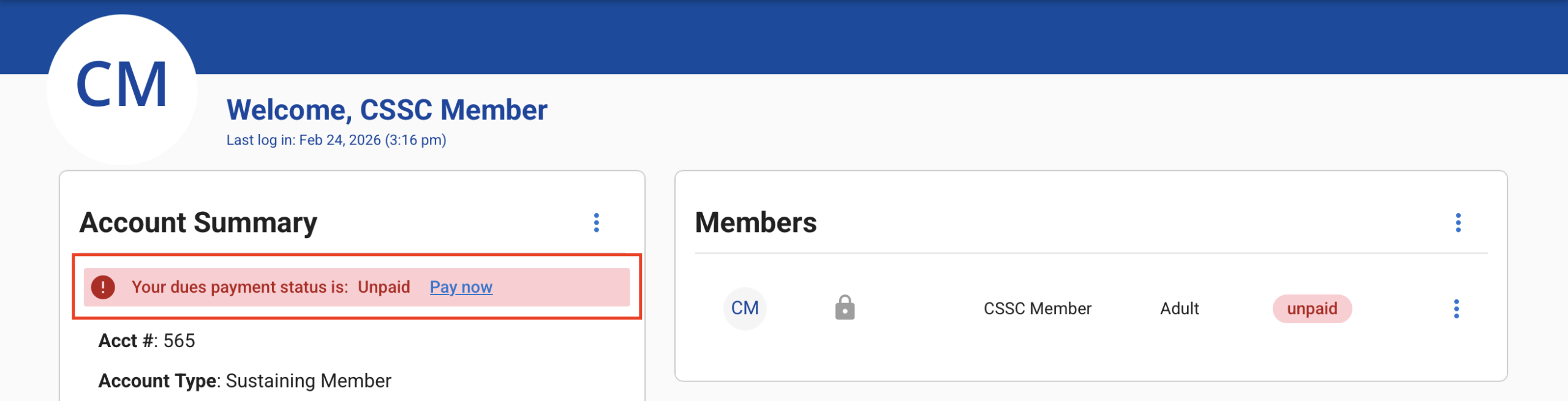
Step 5 – Pay Now
Click Pay Now
You should see your Yearly Dues amount shown.
If you are a new member, you’ll see the Capital Investment Fee shown as well.
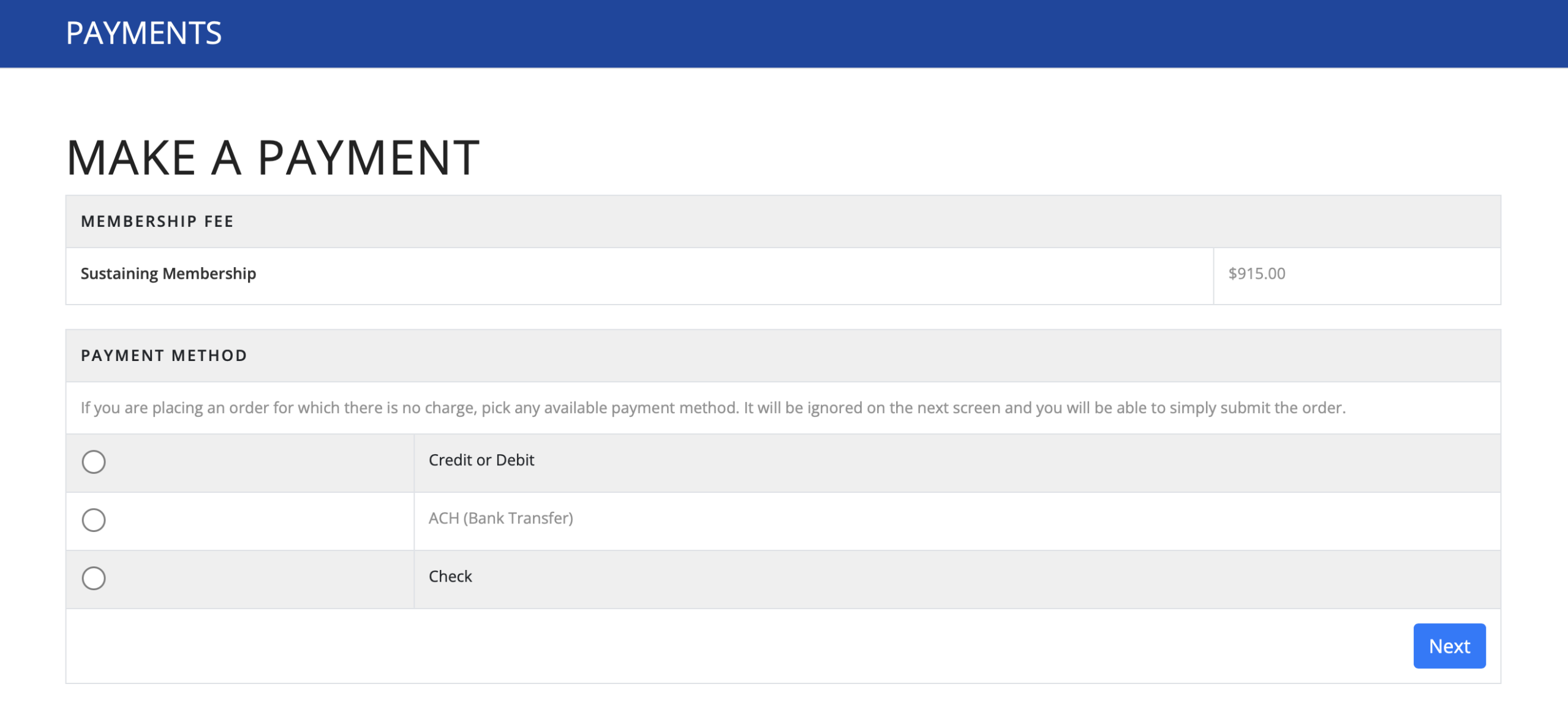
Step 6 – Select Your Payment Method
You should see your Membership Fee amount shown.
Select your payment type for Credit/Debit Card, ACH or Check.
ACH is grayed out intentionally as a design decision by MemberSplash, our new Membership System.
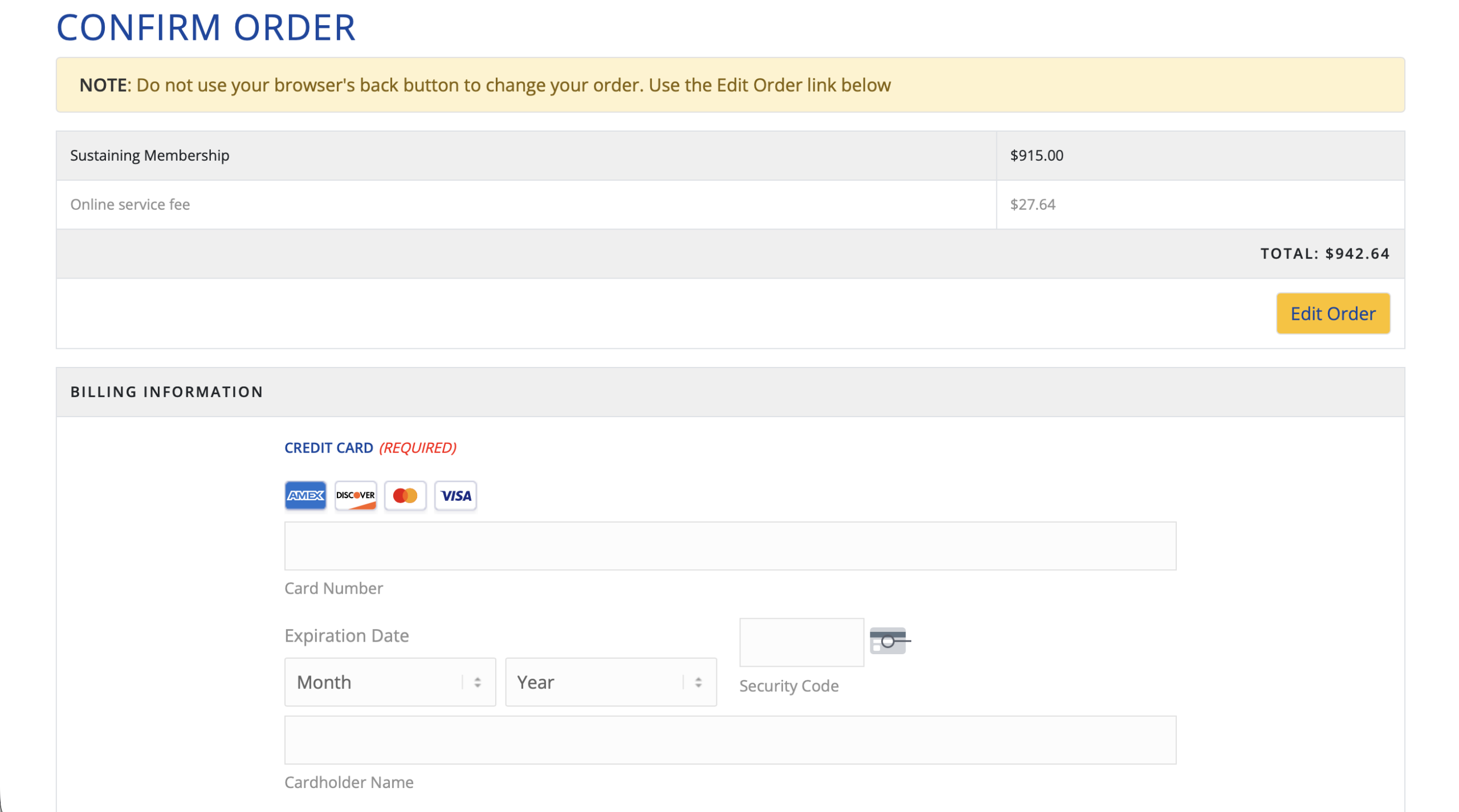
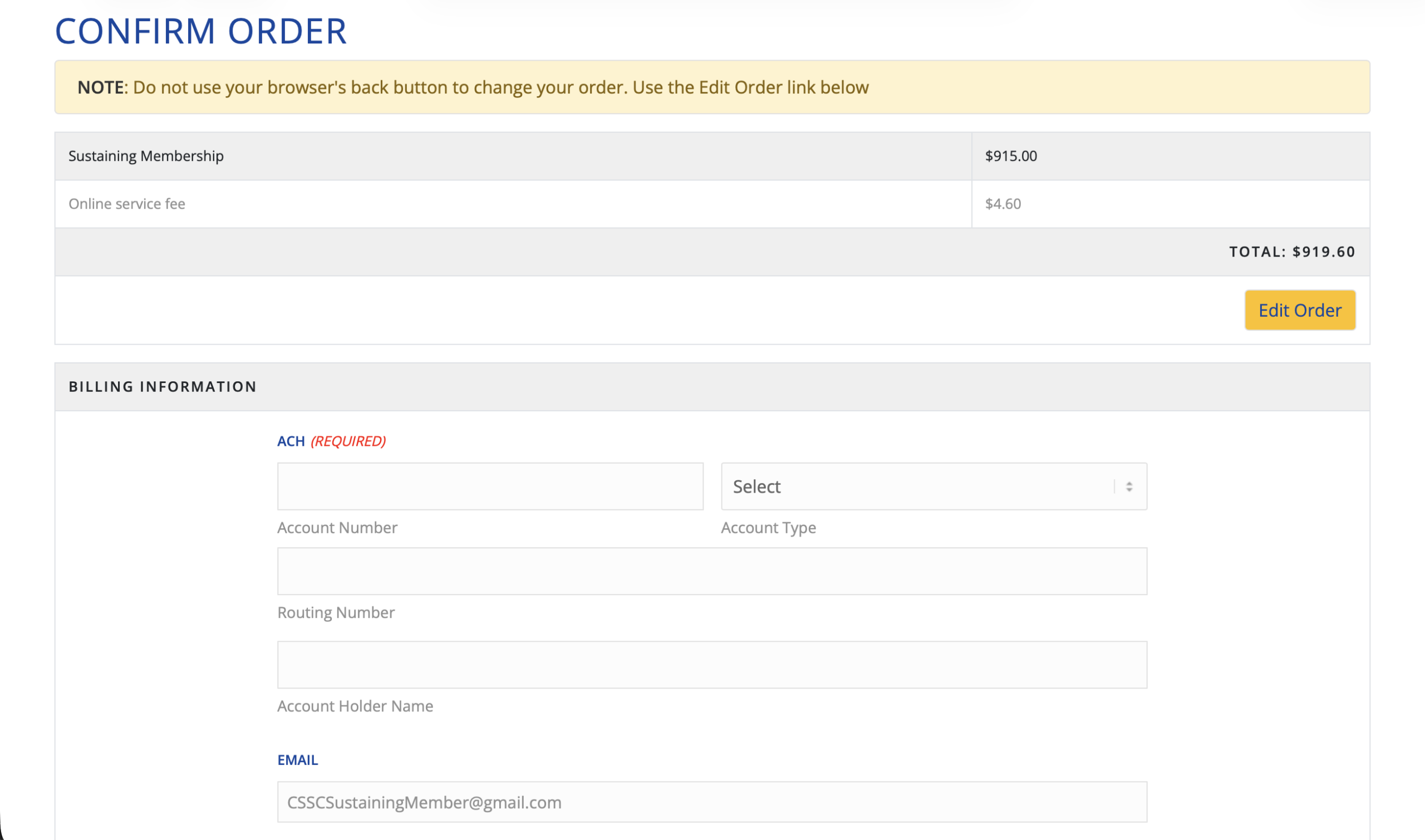
If paying by credit/debit card there is a 3-3.5% Service charge added. ACH is .5%.
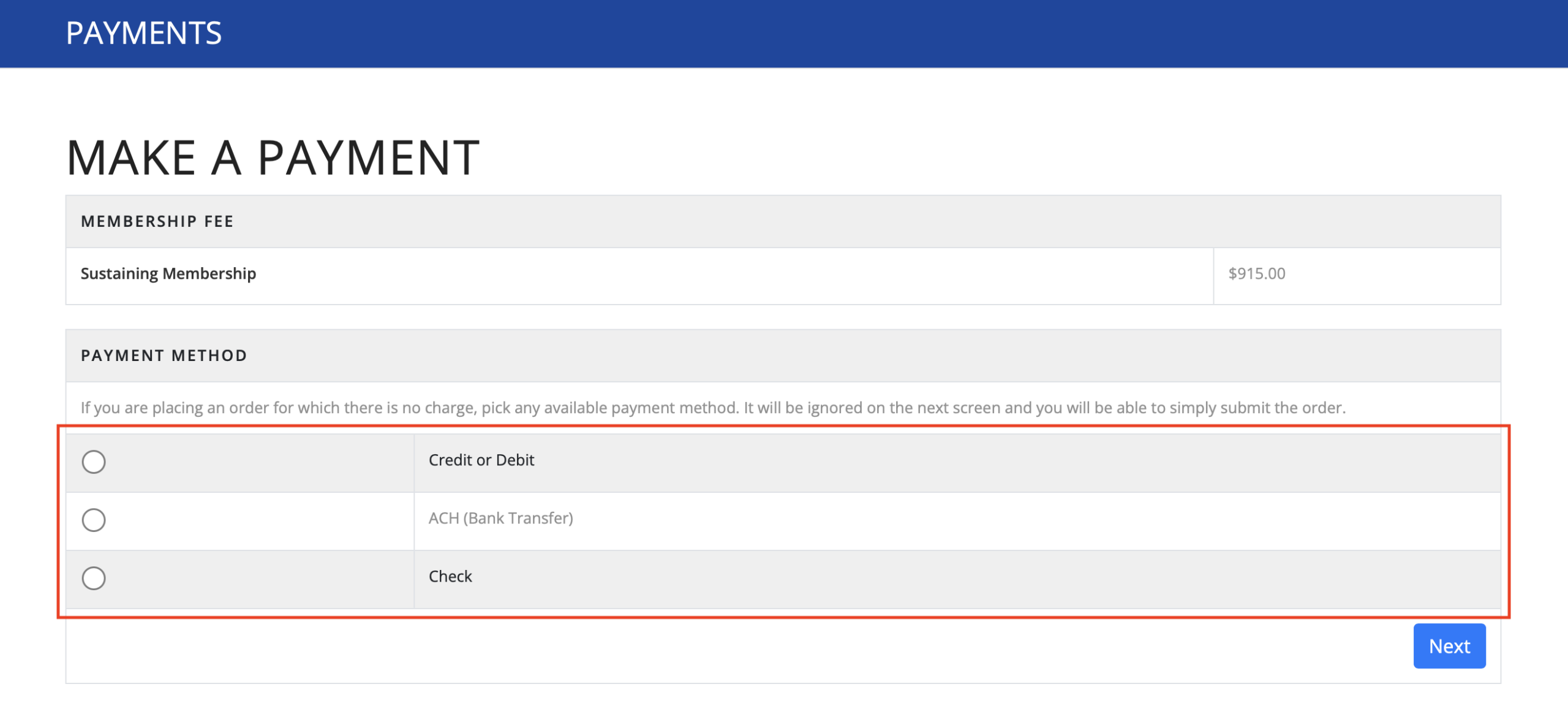
Step 7 – Complete Payment Details
Input payment details for payment type.
Click Submit.
Credit/Debit Card Payment
ACH Payment
This payment can take up to 7 business days to come out of your bank account.
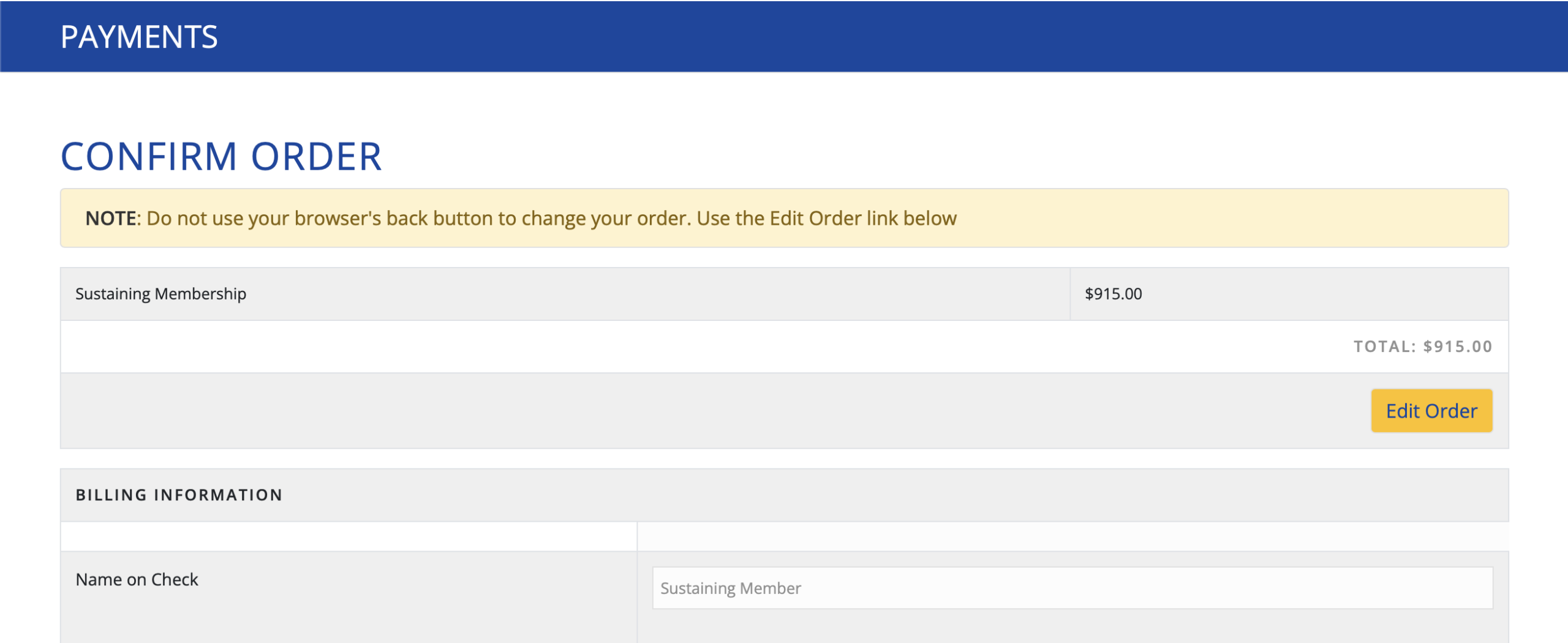
Check Payment
Once complete, please mail your check to 8200 Hamilton Spring Ct, Bethesda, MD 20817.
Step 8 – Confirmation
After you complete your payment, you will receive an email confirmation with an attached invoice for your records.
Thanks again for all your patience, hope you love the new system and can’t wait for another great season!
